Page 1 of 2
Posting Pictures
Posted: Wed Aug 04, 2010 12:00 am
by Number 63
As suggested by Jiversteve and shamelessly copied from one of his posts, please find below a guide to posting pictures. This is needed because the board quota for pictures has been reached so we have to link to external picture sources such as Flickr or Photobucket. The basic idea is that you upload photos to your chosen site and then there will be image tag text below the photo at that location which is then linked here.
The explanation below is assuming the use of Flickr but it is very similar for Photobucket so use whichever you wish to.
Thanks to Jiversteve for the written explanation below:
If you got to your Flikr pages http://www.flickr.com/ and upload your pictures there (other sites are available but the process will be slightly different).
Once you have uploaded your pics go to your Photostream and select the pic you want post on this forum.
Click on the all sizes button, directly above the picture, and select the size you want to post.
Right click on a picture, you'll get a dropdown menu, at the bottom click on Properties and a window appears with the Address URL, highlight the address with the mouse and then right click to a dropdown menu to copy or on the keyboard press 'Ctrl' and 'C' at the same time. This will copy the address.
If you then have you fastmarinamagazine webpage open separately where you are composing your post, click on the 'Img' button above where you want your pic to appear.
Click between the [img]and_the[/img] brackets and then paste the Address URL or on the keyboard hit 'Ctrl' and 'V' together and you will have pasted the Flikr picture address into your Fastmarina page.
Then hit the Submit button to publish the entry and the Fastmarina forum goes away and finds the Flikr picture and displays it in Fastmarina page.
It sounds a bit laborious but once you have uploaded your pics its quite a quick process and it will quickly become second nature.
A common error is to miss the middle of the [img]and_the[/img] but if you preview your message before publishing you should spot this easily.
Re: Posting Pictures
Posted: Tue Aug 17, 2010 9:39 am
by jiversteve
Flickr has changed. Everything above is the same but..
Select the picture you want to post in 'Your Photostream' as before, click on the 'action' button imediately above the picture and select 'view all sizes'. Now proceed just as before right clicking for properties.
Re: Posting Pictures
Posted: Sun Apr 29, 2012 1:35 pm
by cammy-p
I was wanting to post some pics but , after reading how complicated it all is , i wont :? ... shame ....

Posting Pictures
Posted: Sun Apr 29, 2012 1:41 pm
by balmy
cammy-p wrote:I was wanting to post some pics but , after reading how complicated it all is , i wont :? ... shame ....
Email them to me if you want and I'll post them up or you.

Sent from my iPad using Tapatalk
Re: Posting Pictures
Posted: Sun Apr 29, 2012 1:46 pm
by jiversteve
A picture is worth a thousand words. Give it a try, it really is worth it.
The process sounds complicated but is not impossible and becomes really easy once you get the hang of it.
My preference is still flickr.com. I'm logged in there now, If you run into real problems, I dont mind taking snapshots of the computer screen of the important parts and then editing my thread.
Re: Posting Pictures
Posted: Sun Apr 29, 2012 2:14 pm
by cammy-p
Im not very good with these modern things , im lost at the jargen ?, its beyond my pc abilities lol...

Thanks again ....
Re: Posting Pictures
Posted: Sun Jun 24, 2012 5:33 pm
by cammy-p
I followed the instructions given , its asking me to set up a yahoo account ?. ,which im not about to do . #
There has to be a esier way to allow people to upload pics direct from their own pc .?????......

Re: Posting Pictures
Posted: Sun Jun 24, 2012 6:01 pm
by jiversteve
There is no prob with a Yahoo account, it has no cost and you can set security to a level you want.
My BT Broadband defaults to a Yahoo account settings.
OK if you want an alternative, when you compose a post, immediatey below the box where you type is the Save draft, Preview, Submit buttons and below them to the left an Options and Upload attachment tab.
Using the Upload attachment tab and selecting the correct file etc can load your pic as an attachment.
Personally I have loads of stuff saved on Flickr.com, I find it very quick and easy to use especialy when I want to add several pictures, and vary the size etc.
Hope this helps.
Re: Posting Pictures
Posted: Sun Jun 24, 2012 7:03 pm
by vermillion
I've just read through the instructions for Flikr. What a nightmare it seems to be

. I always use photobucket for my photos. This may be a lot easier for you cammy-p. the website is
http://www.photobucket.com You will be asked to choose a usermame and password, when you have done that in the centre top is a bar which says upload, this is green in colour. This will then give you another green box which says Select photos and videos. Click on it. This should then show you your My Pictures section in your own pc, click on what you want to upload, click open and photobucket will upload it for you. When you are on the forum and you wish to use that photo, go into photobucket, go to my albums, find the photo and move your pointer over it. As you do this a box will appear either above or below your photo with 4 options. Left click in the box to the right of IMG Code, bottom option. This should then say copied. Go back to your forum piece and starting on a new line right click, this will open an option box and left click on Paste. Hopefully, jobs a good un as in below. It took me about 15 seconds to download this photo and I'm crap with pc's. Good luck mate

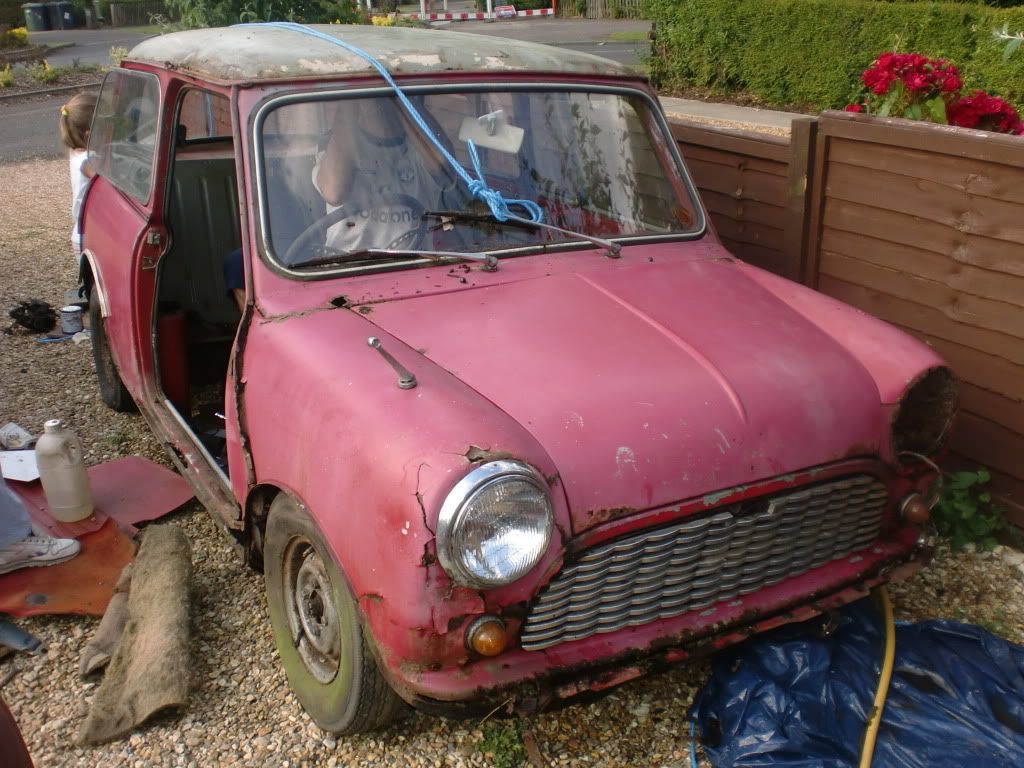
Gary.
Re: Posting Pictures
Posted: Sat Aug 04, 2012 3:20 pm
by budgie
This is far to complicating for a 60 year old man....Its know good explaining to me what to do..as soon as I come out of it I've forgotten it....Why on earth can't I just upload a pic from my computor like you do on facebook.

Re: Posting Pictures
Posted: Tue Aug 07, 2012 2:22 am
by locost_bryan
budgie wrote:This is far to complicating for a 60 year old man....Its know good explaining to me what to do..as soon as I come out of it I've forgotten it....Why on earth can't I just upload a pic from my computor like you do on facebook.
Looks like Ben(?) fixed the file attachment, when the forum was upgraded.


When posting a reply, there is a tab below the message box labelled "Upload attachment" (next to "Options"). Click on this, then add the file name and location, click "Add the file", click "Submit", and Bob's your aunty.
Posting Pictures
Posted: Tue Aug 07, 2012 7:41 am
by ClaytonSpeed
locost_bryan wrote:budgie wrote:This is far to complicating for a 60 year old man....Its know good explaining to me what to do..as soon as I come out of it I've forgotten it....Why on earth can't I just upload a pic from my computor like you do on facebook.
Looks like Ben(?) fixed the file attachment, when the forum was upgraded.
When posting a reply, there is a tab below the message box labelled "Upload attachment" (next to "Options"). Click on this, then add the file name and location, click "Add the file", click "Submit", and Bob's your aunty.
Just what I was going to say Bryan. Use the attachment function, it is easy and we have space on the sever for lots of pictures.
BTW,, if people have any issues/comments about the forum or the way it is built/run, please could they PM me as I don't always see these threads.
Ben
www.fastmarinamagazine.com - Check out my V8 conversion in Readers Projects.
Posting Pictures
Posted: Tue Aug 07, 2012 7:42 am
by ClaytonSpeed
budgie wrote:This is far to complicating for a 60 year old man....Its know good explaining to me what to do..as soon as I come out of it I've forgotten it....Why on earth can't I just upload a pic from my computor like you do on facebook.
Budgie, please see above thread. Your never to old to learn ;-)
www.fastmarinamagazine.com - Check out my V8 conversion in Readers Projects.
Re: Posting Pictures
Posted: Tue Aug 07, 2012 7:45 am
by Kilroy
I have an issue with the forum Ben.
It's brilliant mate..

Well done.
Posting Pictures
Posted: Tue Aug 07, 2012 7:47 am
by balmy
Kilroy wrote:I have an issue with the forum Ben.
It's brilliant mate..
Well done.
Well said